

Best Value Guarantee
99.9% network reliability
Game, video chat, and stream on multiple devices at once with ultra low lag.

3-year lock Price
For new and existing myHome customers on all internet plans. Plus no hidden fees or equipment charges.
More ways to SAVE
Deals & Discounts
The entertainment you love

$400 Samsung Credit on Us
When you buy an eligible item $799 or more at Best Buy®. With select Verizon Home Internet plans.
Fast 5G Home Internet
Enjoy fast wireless home internet plus premium entertainment and protection benefits.

Save $20/mo on YouTube TV
Get $20 off YouTube TV every month for 6 months with qualifying Verizon Home Internet plans.
Rely on the 100% fiber-optic network
Compare Verizon Home Internet Offers
300 Mbps
- Router Included at no additional cost
- Up to 300 Mbps speeds
$30 /mo*
Mobile customers get more
Add Fios and enroll in Mobile + Home to get:
- $99 pro setup fee waived
- Cellular Wi-Fi Backup
- Get priority customer support with Priority Care
500 Mbps
- Router Included at no additional cost
- Up to 500 Mbps speeds
$65 /mo*
Mobile customers get more
Add Fios and enroll in Mobile + Home to get:
- $99 pro setup fee waived
- Cellular Wi-Fi Backup
- Get priority customer support with Priority Care
Special gifts on us.
- Get a $100 Amazon Gift Card
- Terms and Condition Apply
1 Gig
- Router Included at no additional cost
- Up to 940 Mbps speeds
$80 /mo*
Mobile customers get more
Add Fios and enroll in Mobile + Home to get:
-
Get $10 on us towards a perk
As a Mobile + Home customer, get up to $10/mo towards eligible perk, like Netflix and HBO Max (With Ads), or Disney+, Hulu, & ESPN+ (With Ads). - $99 pro setup fee waived
- Cellular Wi-Fi Backup
- Get priority customer support with Priority Care
Special gifts on us.
- Get a $200 Amazon Gift Card
- Terms and Condition Apply
2 Gig
- Whole-Home Wi-Fi included at no additional cost
- Router Included at no additional cost
- Up to 2.3 Gbps speeds
$90 /mo*
Mobile customers get more
Add Fios and enroll in Mobile + Home to get:
-
Get $10 on us towards a perk
As a Mobile + Home customer, get up to $10/mo towards eligible perk, like Netflix and HBO Max (With Ads), or Disney+, Hulu, & ESPN+ (With Ads). - $99 pro setup fee waived
- Cellular Wi-Fi Backup
- Get priority customer support with Priority Care
Special gifts on us.
- Get a $250 Amazon Gift Card
- Get Disney+, Hulu, & ESPN+ (With Ads) perk for 12 months on us Then $12/mo after. With select Fios Home Internet plans
- OR
- Get a Ring Home Security Bundle on us
Special gifts on us.
- Get a $250 Amazon Gift Card
- Get Disney+, Hulu, & ESPN+ (With Ads) perk for 12 months on us Then $12/mo after. With select Fios Home Internet plans
- OR
- Get a Ring Home Security Bundle on us
- Terms and Condition Apply
5 Gig
- Whole-Home Wi-Fi included at no additional cost
- Router Included at no additional cost
- Up to 5 Gbps speeds
$100 /mo*
Mobile customers get more
Add Fios and enroll in Mobile + Home to get:
-
Get $10 on us towards a perk
As a Mobile + Home customer, get up to $10/mo towards eligible perk, like Netflix and HBO Max (With Ads), or Disney+, Hulu, & ESPN+ (With Ads). - $99 pro setup fee waived
- Cellular Wi-Fi Backup
- Get priority customer support with Priority Care
Special gifts on us.
- Get a $300 Amazon Gift Card
- Get Disney+, Hulu, & ESPN+ (With Ads) perk for 12 months on us Then $12/mo after. With select Fios Home Internet plans
- OR
- Get a Ring Home Security Bundle on us
Special gifts on us.
- Get a $300 Amazon Gift Card
- Get Disney+, Hulu, & ESPN+ (With Ads) perk for 12 months on us Then $12/mo after. With select Fios Home Internet plans
- OR
- Get a Ring Home Security Bundle on us
- Terms and Condition Apply
Stay Connected & Save

Speed
Internet You Can Count On
Upload speeds more than four times faster than cable with Fios 500 Mbps plans and more than five times faster with Fios 1 Gig plans.
Based on comparison of Verizon Fios wired upload speeds to comparable advertised cable plan speeds from Xfinity, Spectrum, and Optimum as of 2.26.26.

Reliability
Whole-Home WiFi
Experience fast, reliable home internet with no annual contracts and consistent performance for streaming, gaming, and working from home.

Bundle Savings
Bundle Mobile + Home and Save
Combine Verizon Mobile and Home Internet plans to unlock additional monthly savings and exclusive Verizon benefits.
Based on comparison of Verizon Fios wired upload speeds to comparable advertised cable plan speeds from Xfinity, Spectrum, and Optimum as of 2.26.26.
Limited-Time Moving Offer
Moving? Bring Verizon Home Internet With You
Get up to $500 Samsung or Best Buy Tech Credit on qualifying Verizon Home Internet plans during our Moving Season promotion.
Available on qualifying plans. Terms apply.

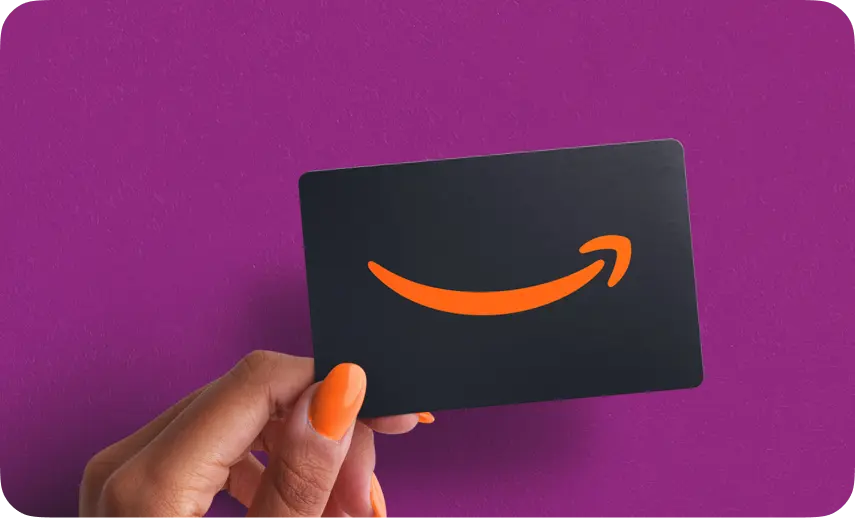
Limited-Time Amazon Gift Card Offer
Sign up for select Verizon Fios plans and receive:
- $100 Amazon Gift Card with 500 Mbps plans
- $200 Amazon Gift Card with 1 Gig plans
- $250 Amazon Gift Card with 2 Gig plans
More Value When You Bundle
Bundle Verizon Mobile and Home Internet plans and save up to $15/mo while keeping your devices connected everywhere you go.
Available during select promotional periods only.
Verizon Fios vs. the competition
| Verizon | Xfinity | Spectrum | Optimum | |
|---|---|---|---|---|
100% fiber-optic network |
|
|
|
|
Virtually equal upload and download speeds |
|
|
|
|
Price lock guarantee on all internet plans |
|
|
|
|
Whole-Home Wi-Fi included with |
|
|
|
|
Save $15/mo on Fios for as long as you have a |
|
|
|
|


Have questions?
We’ve got answers.
How do I find out which Verizon Home Internet plans are available at my address?
Coverage and the exact plan you can get (Fios or 5G Home Internet) depend on your address. Call (855) 430-7146, and an advisor will check your exact address and ZIP code in minutes, then tell you what is available and the price.
Why should I call instead of ordering online?
An advisor checks your address, confirms which current offers and credits you actually qualify for, and sets everything up in one call. Many promotions are
time-limited and not always shown online. Call (855) 430-7146.
Can I combine more than one offer at the same time?
It depends on your plan and the current terms. Call (855) 430-7146, and an advisor walks you through exactly which credits and perks (Samsung Credit, FOX One, YouTube TV, gift cards) you can get together, so there are no surprises.
I already have internet. Can you help me switch to Verizon?
Yes. An advisor helps you coordinate the switch so you are not left without service and checks whether a moving or switching offer applies to you.
Call (855) 430-7146, and we will go step by step.
Do I need a technician, and how soon can I get connected?
It depends on whether your address gets Fios or 5G Home Internet. Call (855) 430-7146, and an advisor will tell you if a technician is needed or if it is a simple self-setup, and book the soonest available installation.
Disclaimers
General
Offers available for a limited time and subject to change. Availability varies by location. Taxes, equipment charges, and additional fees may apply.
Samsung Credit
Samsung Credit offer available to qualifying customers who activate eligible Verizon Home Internet plans during the promotional period. Terms and conditions apply.
YouTube TV
Offer available to new Fios internet customers who are not a current or prior YouTube TV subscriber or trial user previously. Must activate YouTube TV subscription through YouTube TV w/in 90 days of new home internet installation. Two-month credit will be applied via bill credit on the standard subscription price, currently $82.99/mo. (but subject to change). Recurring billing. Credit ends if home internet service is canceled, however, the subscription will continue to be billed at the standard subscription price unless you cancel with YouTube TV by going to your YouTube TV settings. At the end of two-month period you will be automatically charged the then-current standard YouTube TV Base Plan subscription price monthly until you cancel. Must be 18 years or older. Valid form of payment required. Redeemable only where YouTube TV is available. Full terms here: www.youtube.com/t/terms_paidservice. Promotional value of subscription(s) are non-transferable, not for resale, and not redeemable for cash. Offer only available where YouTube TV service is available.
Amazon Gift Card
Limited-time online offer. Must install and maintain eligible Fios 1 Gig internet services in good standing for 65 days. Redemption terms apply. Verizon reserves the right to charge back the value of the promotional Amazon Gift Card if eligible service is canceled w/in 180 days. Restrictions apply, see amazon.com/gc-legal. Offer subject to change.
Whole-Home Wi-Fi
Whole-Home Wi-Fi includes one router and Wi-Fi extender rental. Wi-Fi extender provided during or after installation if recommended after Wi-Fi performance analysis by Fios Tech or upon customer request. Self-install includes one router, and if requested by customer, one extender. Additional Extenders are available to rent or purchase. Whole-Home Wi-Fi is available at no extra charge with a 1 Gig or 2 Gig plan and for $10/mo with all other Fios internet plans.
Perk On Us Credit
Availability of each perk is subject to specific terms, and age requirements. Requires one paid perk on eligible Verizon mobile phone line or eligible Fios 1 Gig plan. Up to $10/month credit will be applied to your Verizon mobile bill as long as one paid perk remains active on either account. Perk credit canceled if paid perk removed, mobile line or home internet plan canceled, or home internet moved to ineligible plan. Perk promotional offers are not eligible for the perk discount. Credit applied in 1-2 billing cycles.
NFL Sunday Ticket
Cannot be combined with an existing NFL Sunday Ticket subscription. Up to $480 value applies to the 2026 NFL Sunday Ticket season. Commercial use excluded. Requires a Google account, a current form of payment, is only available where YouTube and YouTube TV are both available, and may be viewed on YouTube Primetime Channels and YouTube TV. Optional YouTube TV base plan subscription is not included with offer. One offer per eligible Verizon account. Add’l terms and beargares apply. No refunds. Terms for YouTube Paid Service, NFL Sunday Ticket on YouTube, and YouTube Primetime Channels apply: https://www.youtube.com/t/terms_paidservice
Over 40% savings on the best entertainment: Compared to combined retail prices. Disney+, Hulu, & ESPN+ (With Ads): Requires an eligible Verizon Home Internet ("VHI") plan. Must be 18 yrs or older. Cancel anytime. One offer per eligible VHI account. Add'l terms apply. EXISTING DISNEY+, HULU OR ESPN+ USERS: Offer will not automatically replace existing subscription(s). Managing subscriptions may be required to avoid multiple subscriptions and corresponding charges. $9.99/mo or 49% perk savings based on the current $19.99/mo Disney+, Hulu, & ESPN+ (With Ads) Subscribers pay for the bundle less the $10/mo Disney perk added to myHome. Terms apply. © 2026 Disney and its related entities. Netflix & HBO Max (With Ads): Access content from each service separately. Enrolling in the Netflix & HBO Max with Ads perk may affect existing subscriptions to Netflix and HBO Max. $6.98/mo or 35% off perk savings based on the current $8.99/mo for Netflix Standard with Ads and $10.99/mo. for HBO Max Basic with Ads less $13/mo. perk added to myHome. One offer per eligible VHI account. HBO Max and related elements are property of Home Box Office, Inc. Terms Apply.
3 yrs for Fios 300 Mbps, 4 yrs for 500 Mbps, 5 yrs for 1 Gig or 5 yrs for 5 Gig, for new myHome customers. Applies only to the then-current base monthly rate exclusive of any other setup and additional equipment charges, discounts or promotions, plan perk and any other third-party services.
Online only. With a Fios 500 Mbps plan. Limited-time online offer. Must install and maintain eligible Fios 500 Mbps internet services in good standing for 65 days. Redemption terms apply. Verizon reserves the right to charge back the value of the promotional Amazon Gift Card if eligible service is canceled w/in 180 days. Restrictions apply, see amazon.com/gc-legal Offer subject to change.
Online only. With a Fios 1 Gig plan. Limited-time online offer. Must install and maintain eligible Fios 1 Gig internet services in good standing for 65 days. Redemption terms apply. Verizon reserves the right to charge back the value of the promotional Amazon Gift Card if eligible service is canceled w/in 180 days. Restrictions apply, see amazon.com/gc-legal Offer subject to change.
Disney+, Hulu, & ESPN+ (With Ads): Limited time offer. Requires a Fios 2 Gig or a Fios 5 Gig Verizon Home Internet (VHI) plan; must activate/install VHI service, enroll in perk w/in 60 days after plan purchase and then register the perk directly with Disney w/in 90 days of enrollment. $12/mo perk credit ends after 12 mos or if perk is canceled or VHI plan is moved to an ineligible plan during the 12 mo promo period. After 12 mos, perk bills as $12/mo unless perk is canceled or unregistered. Must be 18 yrs or older. Cancel anytime. One offer per eligible VHI plan. Add’l terms apply.
EXISTING DISNEY+, HULU, OR ESPN+ Subscribers: Offer will not automatically replace existing subscription(s).
Managing subscriptions may be required to avoid multiple subscriptions and corresponding charges
Get a $250 Amazon Gift Card
Online only. With a Fios 2 Gig plan.
Limited-time online offer. Must install and maintain eligible Fios 2 Gig internet services in good standing for 65 days. Redemption terms apply. Verizon reserves the right to charge back the value of the promotional Amazon Gift Card if eligible service is canceled w/in 180 days. Restrictions apply, see amazon.com/gc-legal Offer subject to change.
Or:
Get a Ring Home Security Bundle on us
With select Fios Home Internet plans
Limited-time offer; offer subject to change. For new home internet customers who install and maintain eligible Fios 5 Gig or 2 Gig services (or Fios 1 Gig plan in areas where 2 Gig or 5 Gig unavailable) in good standing for 65 days. Redemption terms apply. Bundle includes Ring Battery Doorbell 2k and Spotlight Cam 2k (MSRP: $269.98). Verizon reserves the right to charge back the $269.98 value of the bundle if eligible service is cancelled within 365 days of service activation. Limit one offer per Verizon account. While supplies last.
Get a $250 Amazon Gift Card
Online only. With a Fios 2 Gig plan.
Limited-time online offer. Must install and maintain eligible Fios 2 Gig internet services in good standing for 65 days. Redemption terms apply. Verizon reserves the right to charge back the value of the promotional Amazon Gift Card if eligible service is canceled w/in 180 days. Restrictions apply, see amazon.com/gc-legal Offer subject to change.
Disney+, Hulu, & ESPN+ (With Ads): Limited time offer. Requires a Fios 2 Gig or a Fios 5 Gig Verizon Home Internet (VHI) plan; must activate/install VHI service, enroll in perk w/in 60 days after plan purchase and then register the perk directly with Disney w/in 90 days of enrollment. $12/mo perk credit ends after 12 mos or if perk is canceled or VHI plan is moved to an ineligible plan during the 12 mo promo period. After 12 mos, perk bills as $12/mo unless perk is canceled or unregistered. Must be 18 yrs or older. Cancel anytime. One offer per eligible VHI plan. Add’l terms apply.
Get a $300 Amazon Gift Card
Limited-time online offer. Must install and maintain eligible Fios 5 Gig internet services in good standing for 65 days. Redemption terms apply. Verizon reserves the right to charge back the value of the promotional Amazon Gift Card if eligible service is canceled w/in 180 days. Restrictions apply, see amazon.com/gc-legal Offer subject to change.
Or:
Get a Ring Home Security Bundle on us
Limited-time offer; offer subject to change. For new home internet customers who install and maintain eligible Fios 5 Gig or 2 Gig services (or Fios 1 Gig plan in areas where 2 Gig or 5 Gig unavailable) in good standing for 65 days. Redemption terms apply. Bundle includes Ring Battery Doorbell 2k and Spotlight Cam 2k (MSRP: $269.98). Verizon reserves the right to charge back the $269.98 value of the bundle if eligible service is cancelled within 365 days of service activation. Limit one offer per Verizon account. While supplies last.
Get a $300 Amazon Gift Card
Limited-time online offer. Must install and maintain eligible Fios 5 Gig internet services in good standing for 65 days. Redemption terms apply. Verizon reserves the right to charge back the value of the promotional Amazon Gift Card if eligible service is canceled w/in 180 days. Restrictions apply, see amazon.com/gc-legal Offer subject to change.
Auto Pay: Save $10/month when you enroll in Auto Pay and paper-free billing.
Mobile + Home Discount: Save $15/month on Verizon Home Internet plans (excludes Wi-Fi Backup, which receives a $5/month discount) when combined with an eligible Verizon postpaid mobile phone plan (excludes business and data-only plans) and an account with a Verizon One plan.
Enrollment is required for Fios Home Internet plans.
General: A $99 setup fee and other terms may apply. Subject to credit approval.
Amazon Gift Card: General: Limited-time online offer. Redemption terms apply. Verizon reserves the right to charge back the value of the promotional Amazon Gift Card if eligible service is canceled w/in 180 days. Restrictions apply, see amazon.com/gc-legal. Offer subject to change.
Verizon Home Deals
Accessibility Statement
- verizonhomedeals.com
- October 27, 2026
Compliance status
We firmly believe that the internet should be available and accessible to anyone, and are committed to providing a website that is accessible to the widest possible audience, regardless of circumstance and ability.
To fulfill this, we aim to adhere as strictly as possible to the World Wide Web Consortium’s (W3C) Web Content Accessibility Guidelines 2.1 (WCAG 2.1) at the AA level. These guidelines explain how to make web content accessible to people with a wide array of disabilities. Complying with those guidelines helps us ensure that the website is accessible to all people: blind people, people with motor impairments, visual impairment, cognitive disabilities, and more.
This website utilizes various technologies that are meant to make it as accessible as possible at all times. We utilize an accessibility interface that allows persons with specific disabilities to adjust the website’s UI (user interface) and design it to their personal needs.
Additionally, the website utilizes an AI-based application that runs in the background and optimizes its accessibility level constantly. This application remediates the website’s HTML, adapts Its functionality and behavior for screen-readers used by the blind users, and for keyboard functions used by individuals with motor impairments.
If you’ve found a malfunction or have ideas for improvement, we’ll be happy to hear from you. You can reach out to the website’s operators by using the following email
Screen-reader and keyboard navigation
Our website implements the ARIA attributes (Accessible Rich Internet Applications) technique, alongside various different behavioral changes, to ensure blind users visiting with screen-readers are able to read, comprehend, and enjoy the website’s functions. As soon as a user with a screen-reader enters your site, they immediately receive a prompt to enter the Screen-Reader Profile so they can browse and operate your site effectively. Here’s how our website covers some of the most important screen-reader requirements, alongside console screenshots of code examples:
-
Screen-reader optimization: we run a background process that learns the website’s components from top to bottom, to ensure ongoing compliance even when updating the website. In this process, we provide screen-readers with meaningful data using the ARIA set of attributes. For example, we provide accurate form labels; descriptions for actionable icons (social media icons, search icons, cart icons, etc.); validation guidance for form inputs; element roles such as buttons, menus, modal dialogues (popups), and others. Additionally, the background process scans all the website’s images and provides an accurate and meaningful image-object-recognition-based description as an ALT (alternate text) tag for images that are not described. It will also extract texts that are embedded within the image, using an OCR (optical character recognition) technology. To turn on screen-reader adjustments at any time, users need only to press the Alt+1 keyboard combination. Screen-reader users also get automatic announcements to turn the Screen-reader mode on as soon as they enter the website.
These adjustments are compatible with all popular screen readers, including JAWS and NVDA.
-
Keyboard navigation optimization: The background process also adjusts the website’s HTML, and adds various behaviors using JavaScript code to make the website operable by the keyboard. This includes the ability to navigate the website using the Tab and Shift+Tab keys, operate dropdowns with the arrow keys, close them with Esc, trigger buttons and links using the Enter key, navigate between radio and checkbox elements using the arrow keys, and fill them in with the Spacebar or Enter key.Additionally, keyboard users will find quick-navigation and content-skip menus, available at any time by clicking Alt+1, or as the first elements of the site while navigating with the keyboard. The background process also handles triggered popups by moving the keyboard focus towards them as soon as they appear, and not allow the focus drift outside it.
Users can also use shortcuts such as “M” (menus), “H” (headings), “F” (forms), “B” (buttons), and “G” (graphics) to jump to specific elements.
Disability profiles supported in our website
- Epilepsy Safe Mode: this profile enables people with epilepsy to use the website safely by eliminating the risk of seizures that result from flashing or blinking animations and risky color combinations.
- Visually Impaired Mode: this mode adjusts the website for the convenience of users with visual impairments such as Degrading Eyesight, Tunnel Vision, Cataract, Glaucoma, and others.
- Cognitive Disability Mode: this mode provides different assistive options to help users with cognitive impairments such as Dyslexia, Autism, CVA, and others, to focus on the essential elements of the website more easily.
- ADHD Friendly Mode: this mode helps users with ADHD and Neurodevelopmental disorders to read, browse, and focus on the main website elements more easily while significantly reducing distractions.
- Blindness Mode: this mode configures the website to be compatible with screen-readers such as JAWS, NVDA, VoiceOver, and TalkBack. A screen-reader is software for blind users that is installed on a computer and smartphone, and websites must be compatible with it.
- Keyboard Navigation Profile (Motor-Impaired): this profile enables motor-impaired persons to operate the website using the keyboard Tab, Shift+Tab, and the Enter keys. Users can also use shortcuts such as “M” (menus), “H” (headings), “F” (forms), “B” (buttons), and “G” (graphics) to jump to specific elements.
Additional UI, design, and readability adjustments
- Font adjustments – users, can increase and decrease its size, change its family (type), adjust the spacing, alignment, line height, and more.
- Color adjustments – users can select various color contrast profiles such as light, dark, inverted, and monochrome. Additionally, users can swap color schemes of titles, texts, and backgrounds, with over seven different coloring options.
- Animations – person with epilepsy can stop all running animations with the click of a button. Animations controlled by the interface include videos, GIFs, and CSS flashing transitions.
- Content highlighting – users can choose to emphasize important elements such as links and titles. They can also choose to highlight focused or hovered elements only.
- Audio muting – users with hearing devices may experience headaches or other issues due to automatic audio playing. This option lets users mute the entire website instantly.
- Cognitive disorders – we utilize a search engine that is linked to Wikipedia and Wiktionary, allowing people with cognitive disorders to decipher meanings of phrases, initials, slang, and others.
- Additional functions – we provide users the option to change cursor color and size, use a printing mode, enable a virtual keyboard, and many other functions.
Browser and assistive technology compatibility
We aim to support the widest array of browsers and assistive technologies as possible, so our users can choose the best fitting tools for them, with as few limitations as possible. Therefore, we have worked very hard to be able to support all major systems that comprise over 95% of the user market share including Google Chrome, Mozilla Firefox, Apple Safari, Opera and Microsoft Edge, JAWS and NVDA (screen readers).
Notes, comments, and feedback
Despite our very best efforts to allow anybody to adjust the website to their needs. There may still be pages or sections that are not fully accessible, are in the process of becoming accessible, or are lacking an adequate technological solution to make them accessible. Still, we are continually improving our accessibility, adding, updating and improving its options and features, and developing and adopting new technologies. All this is meant to reach the optimal level of accessibility, following technological advancements. For any assistance, please reach out to